How to caption a LoRA dataset for AI Toolkit
You train a character LoRA. You ask for your character on a beach. The face looks familiar. So does the jacket. And somehow the café table has made the trip too.
If that sounds familiar, your dataset and its captions are worth checking. This guide covers how to caption a LoRA dataset for AI Toolkit, with examples for characters, styles and products. It focuses on annotation rather than installation or training settings.
The scope is ordinary image training in Ostris AI Toolkit, the ostris/ai-toolkit project. Video and image-editing datasets need their own annotation examples. All images below were generated for this guide. They illustrate captioning decisions; they are not before-and-after results from trained LoRAs.
What captions do in LoRA training
Training pairs an image with text. The visual data matters, and so does the way you describe it.
Suppose every picture shows your subject sitting. If you want to change that pose later, naming the pose in the captions is a reasonable approach to test. A small published dog-captioning experiment illustrates this idea. It is an example, not proof that the same outcome is guaranteed on every model.
Before captioning, ask: what should stay recognizable when I change the scene? A person's identity, an illustration style and a product's design are different targets.
Choose a captioning strategy for your LoRA
A useful starting point is to separate the concept you want to preserve from the conditions you want to control. This is the working strategy used in this guide, not a universal rule enforced by AI Toolkit.
| LoRA type | Preserve | Describe in captions |
|---|---|---|
| Character | Recognizable identity | Clothing, action, pose, framing and setting |
| Style | The shared visual treatment | Subjects and events in the scene |
| Product or object | A specific object design | Viewpoint, placement, surroundings and variable state |
A blue jacket might be incidental clothing. It might also be part of a character's defining costume. The image alone does not decide which one you mean. Set the goal before asking a captioning model to describe every seam.
How to caption a character LoRA dataset
Meet Mira, a fictional adult character created for these examples. We use Mira as her identifier. The four images present the same character with different outfits, framing and surroundings.
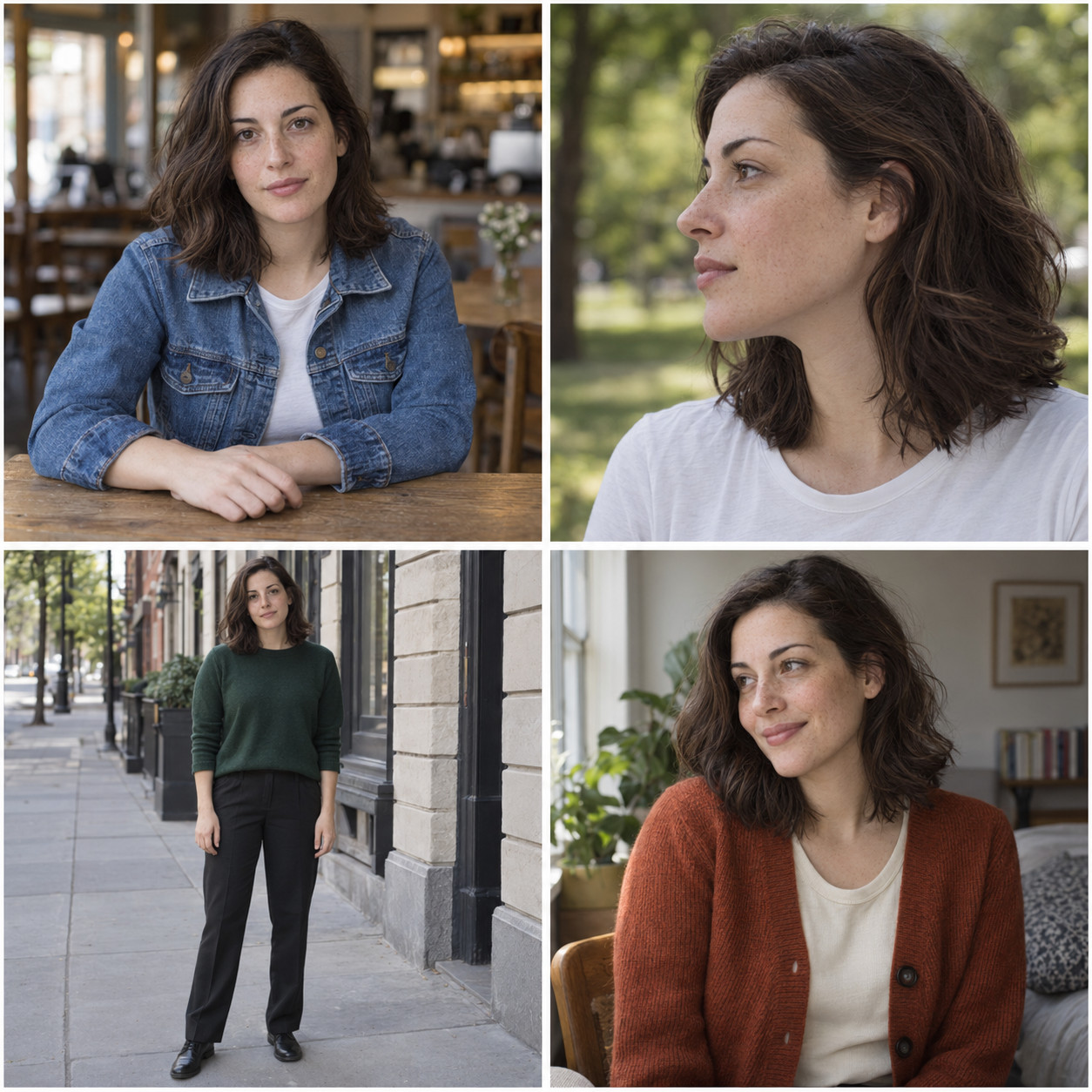
Image 1 — café portrait
A medium shot of Mira wearing a blue denim jacket over a white shirt, sitting at a wooden table in a café and looking at the camera.Image 2 — outdoor profile
A close-up side profile of Mira wearing a white T-shirt outdoors, with blurred trees in the background.Image 3 — full-body street photo
A full-body photo of Mira wearing a dark green sweater and black trousers, standing on a city sidewalk.Image 4 — seated by a window
A medium shot of Mira wearing a rust orange cardigan over a cream shirt, sitting beside a window, smiling and looking away.These captions identify the subject and describe the scene. They do not try to turn her face into a verbal checklist.
Leaving detailed permanent appearance traits out is one character-captioning strategy. It is not a ban on mentioning hair, glasses or other features. If you want to control a hairstyle separately, treat it as a variable. If glasses belong to the identity you want to preserve, that is a different goal. Alvdansen's captioning observations, primarily about SDXL, discuss selecting useful details rather than describing everything.
Write useful captions rather than longer captions
Here is a weak caption for the first image:
A stunning woman with perfect skin, beautiful brown hair, gorgeous eyes, an elegant face and an amazing cinematic atmosphere, masterpiece, 8k.It praises the image while leaving out the jacket, table and café. The adjectives are also poor substitutes for specific visible conditions.
A more useful version for this example is:
A medium shot of Mira wearing a blue denim jacket, sitting at a wooden table in a café.This is not a contest to use the fewest words. Include another person, a held object or a meaningful action when it matters. Leave out details you cannot verify from the image.
The examples use short English sentences as a practical starting point. Neither English nor a fixed sentence length is an AI Toolkit requirement. Choose a caption format that suits your base model and the prompts you expect to use.
How to caption a style LoRA dataset
For a style LoRA, the goal changes. We want a shared visual treatment that can carry over to new subjects. The fox, teapot and cyclist should remain replaceable.
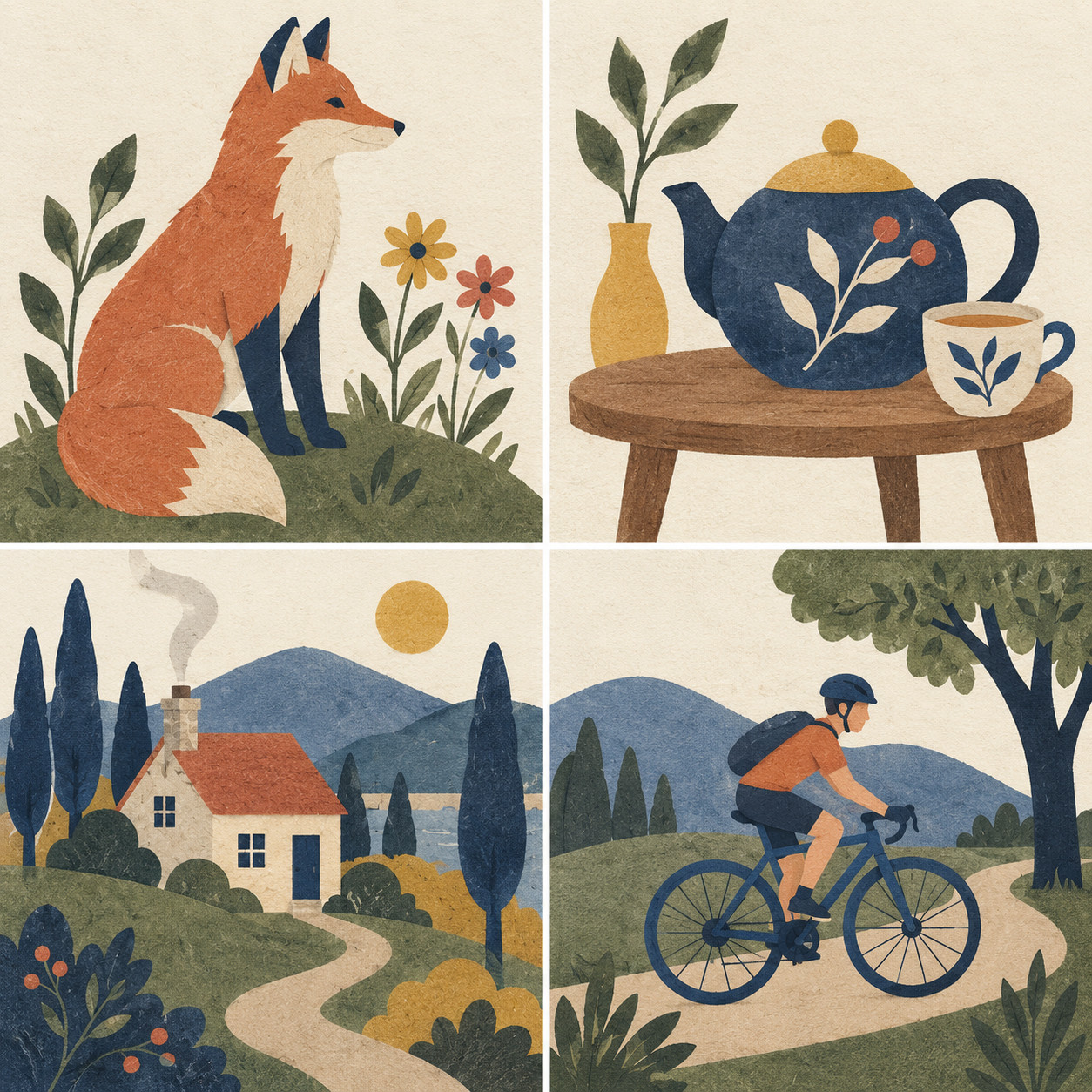
Image 1 — fox
A fox sitting beside flowers and leafy plants on a grassy mound, in vellumcut style.Image 2 — still life
A teapot, a cup and a vase with leafy branches on a wooden table, in vellumcut style.Image 3 — cottage
A small cottage among tall trees and hills, with a winding path leading to the door, in vellumcut style.Image 4 — cyclist
A cyclist wearing a helmet and a backpack rides along a path beside a tree, in vellumcut style.This version describes the content and adds in vellumcut style. It leaves the detailed treatment associated with that identifier. A similar content-versus-style approach is discussed in fal's practical FLUX style-training article.
A broad category such as illustration can still be useful when needed. It does not describe the entire specific style. What matters is understanding the role of the descriptions you repeat.
How to caption a product or object LoRA dataset
Here is a fictional mug named talomug. The goal is to preserve its particular design, including its shape and color. We want to change where it is placed and whether it contains coffee.
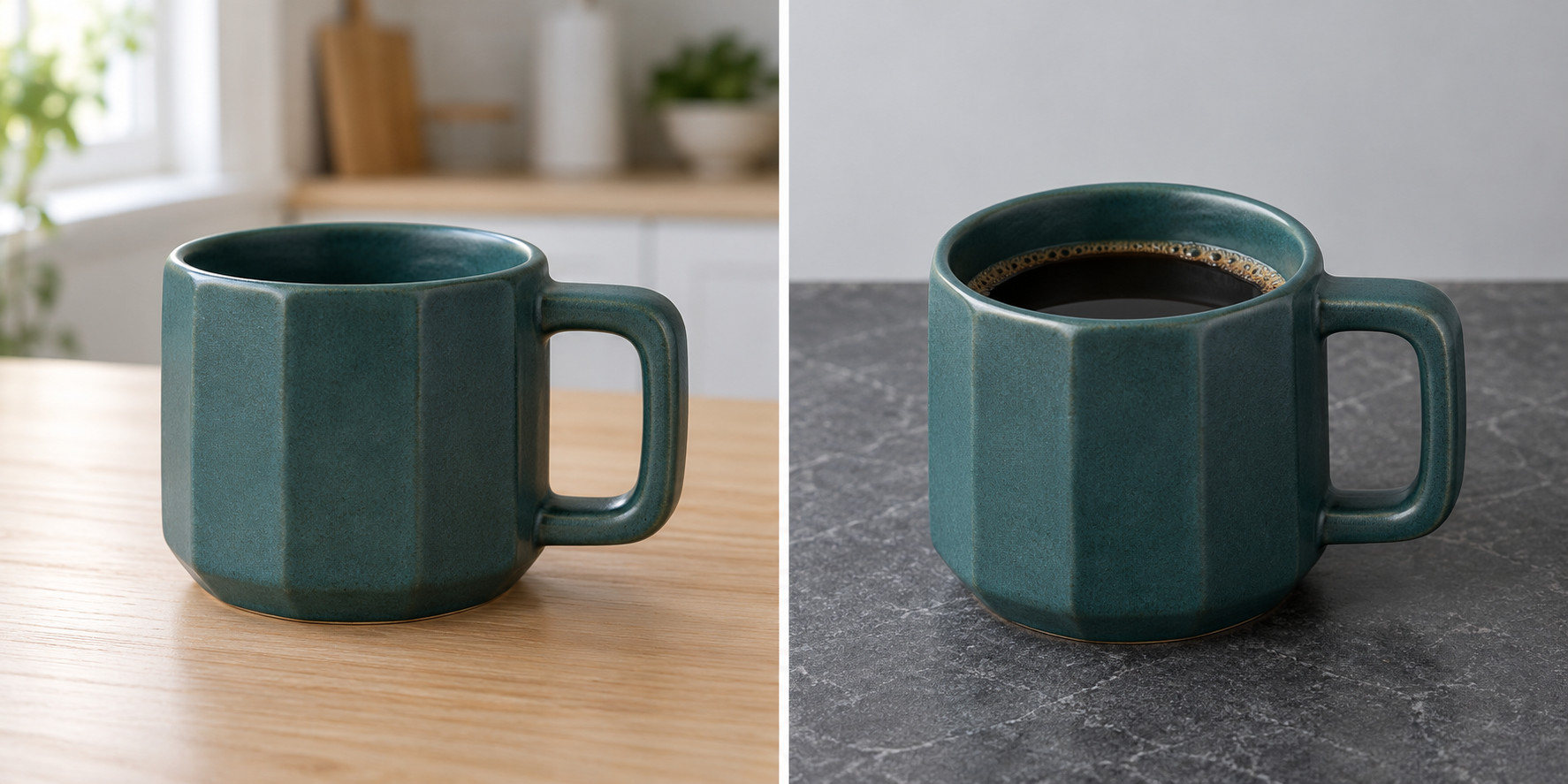
Image 1 — wooden table
A photo of a talomug mug on a wooden table in a kitchen, viewed from a three-quarter angle.Image 2 — stone countertop and coffee
A photo of a talomug mug filled with coffee on a stone countertop against a gray background.The identifier and class noun name the object. The rest describes its conditions. For this goal, we do not repeat a detailed description of every facet and handle edge.
If you want the same design in multiple colors, the plan changes. Treat color as a variable and choose images that support that goal. A caption saying “blue mug” does not show the model this specific mug in red.
Trigger words and caption files in AI Toolkit
A trigger word is the identifier or phrase used to associate text with the concept you are training. Our examples use Mira, vellumcut style and talomug. Keep the spelling consistent. Ordinary names can overlap with things the base model already knows, so check your identifier on that model.
In the simple image-and-TXT dataset format used by AI Toolkit, each text file shares its image's base filename:
mira_001.jpg
mira_001.txt

mira_002.jpg
mira_002.txt
The text file contains the caption itself. If trigger_word is configured, AI Toolkit can replace [trigger] inside a caption. See the official Dataset Preparation instructions.
A medium shot of [trigger] wearing a blue denim jacket, sitting at a wooden table in a café.The placeholder substitutes text. It does not decide which features should belong to the identity or style. That is still an annotation decision.
Use auto-captioning as a first draft
Check an automatic caption beside its image. Has it invented an object? Misread the clothing? Assigned an action to the wrong person?
For this character example, a custom instruction could be:
Write a concise English training caption for this image.
Refer to the target person as Mira.
Describe visible clothing, action, pose, framing and setting.
Do not guess details or add praise.
Keep permanent identity traits out of the caption unless I explicitly want to control them.
Return only the caption.
This is a starting template for the stated goal. For a style dataset, ask for scene content and your style identifier. For a product dataset, use the object's identifier and describe the relevant conditions.
Set the goal, give the captioner specific rules, and review the output. “Describe absolutely everything” is a different task from preparing these three kinds of LoRA captions.
Use the Curaset caption editor to compare text with each image and edit existing TXT files. It does not generate AI captions. The LoRA caption editing guide covers individual and controlled bulk edits.
Check your LoRA dataset before training
Here is a practical review pass:
- State the goal in one sentence. Be specific about what the LoRA should reproduce.
- Look for useful variation. Characters need relevant changes in views and conditions; styles need different subjects.
- Review near-duplicates. Keep similar images deliberately rather than to inflate the file count.
- Match every caption to its image. Remove invented bags, expressions or fine details you cannot see.
- Keep identifiers consistent. Do not switch randomly between
Mira,mira_personandthe girl. - Prepare evaluation prompts. Try a new outfit, background or subject after training, rather than only recreating a dataset scene.
Captions describe conditions; they do not create visual variety. If every photograph uses the same jacket and sofa, check whether you need more varied examples. Adding the word “sofa” is quicker than taking more photographs, but it does not make those photographs different.
There is no universal image count in this guide. For a first dataset, ask what each image adds before chasing a particular total.
Common LoRA dataset captioning questions
Can I use only the trigger word? It is a simple baseline you can test. It does not explicitly distinguish clothing, poses and surroundings. If you need flexibility, compare it with purposeful descriptive captions.
Should I caption hair color? Decide whether it is part of the identity you want to preserve or a property you want to control. The training goal determines the choice.
Are tags better than sentences? Match the format to your base model and intended prompts. These examples use short sentences. Commas, tags and long paragraphs do not establish quality on their own.
Do the generated images prove this method works? They show annotation examples. Validating the result requires training and evaluating a LoRA. An illustrated guide is not a benchmark.
Try captioning three images manually before processing the whole folder. Explain why each detail belongs in the caption. If that is difficult, refine the training goal before scaling up the annotation.